Affiliate Disclosure: This article may contain affiliate links. If you purchase through these links, I may receive a small commission at no extra cost to you.
Starting an online business used to feel expensive before you even made your first dollar.
You needed design software, a website, a video editor, a writing tool, a presentation app, stock images, email software, and maybe a few courses just to feel ready.
AI has changed that.
In 2026, you can test real business ideas with free tools before paying for a full software stack. That does not mean AI will magically create income for you. It means you can create samples, build simple offers, publish useful content, and validate demand without using “I do not have the tools” as the reason to wait.
The best AI business ideas for beginners are not complicated startups.
They are small service or product ideas built around one clear result.
You help someone write faster. Design faster. Create content faster. Turn messy notes into a useful asset. Repurpose content. Build simple systems. Make a boring task easier.
That is enough to start.
- Quick Answer: What AI Business Can You Start With No Money?
- Before You Start: No Money Does Not Mean No Work
- Best AI Business Ideas to Start With No Money
- 1. Pinterest Content Creation Service
- 2. Blog Post Repurposing Service
- 3. AI Presentation and Lead Magnet Service
- 4. Short-Form Video Editing Service
- 5. AI Voiceover Sample Service
- 6. Notion Template Setup Service
- 7. AI Newsletter Assistant
- 8. Product Description Rewriting Service
- 9. Prompt Pack or Workflow Pack Business
- 10. Local Business Content Support
- How to Choose the Best AI Business Idea for You
- A Simple 7-Day Plan to Start With No Money
- Common Mistakes Beginners Should Avoid
- FAQ
- Final Thoughts
- Read Next
- Get More Practical AI Tips
Quick Answer: What AI Business Can You Start With No Money?
The easiest AI business to start with no money is a simple AI-assisted service business. Good beginner options include Pinterest content creation, blog repurposing, AI presentation design, short-form video editing, voiceover sample creation, Notion template setup, newsletter writing, product description rewriting, prompt pack creation, and local business content support.
The best starting stack is simple:
- ChatGPT for planning, writing, offers, scripts, and outlines
- Canva for visual content and simple design
- Gamma for presentations, PDFs, and lead magnets
- CapCut for short-form videos
- ElevenLabs for voiceover tests and audio samples
- Notion for templates, dashboards, and client systems
- NotebookLM for research summaries and source-based content
You do not need all of them.
Pick one idea, create one sample, and test whether people understand the offer.
Before You Start: No Money Does Not Mean No Work
Free AI tools can reduce your startup cost, but they do not remove the work.
You still need to:
- Choose a specific customer.
- Create a clear offer.
- Make a sample.
- Show the sample to real people.
- Improve based on feedback.
The beginner mistake is trying to sell “AI services.”
That is too vague.
Better offers sound like this:
- “I create 10 Pinterest pin titles and 3 pin designs for one blog post.”
- “I turn your rough notes into a clean presentation.”
- “I repurpose your blog post into a short newsletter and social posts.”
- “I create a simple Notion content calendar for your business.”
Those are easier to understand because the buyer knows what they get.
Best AI Business Ideas to Start With No Money
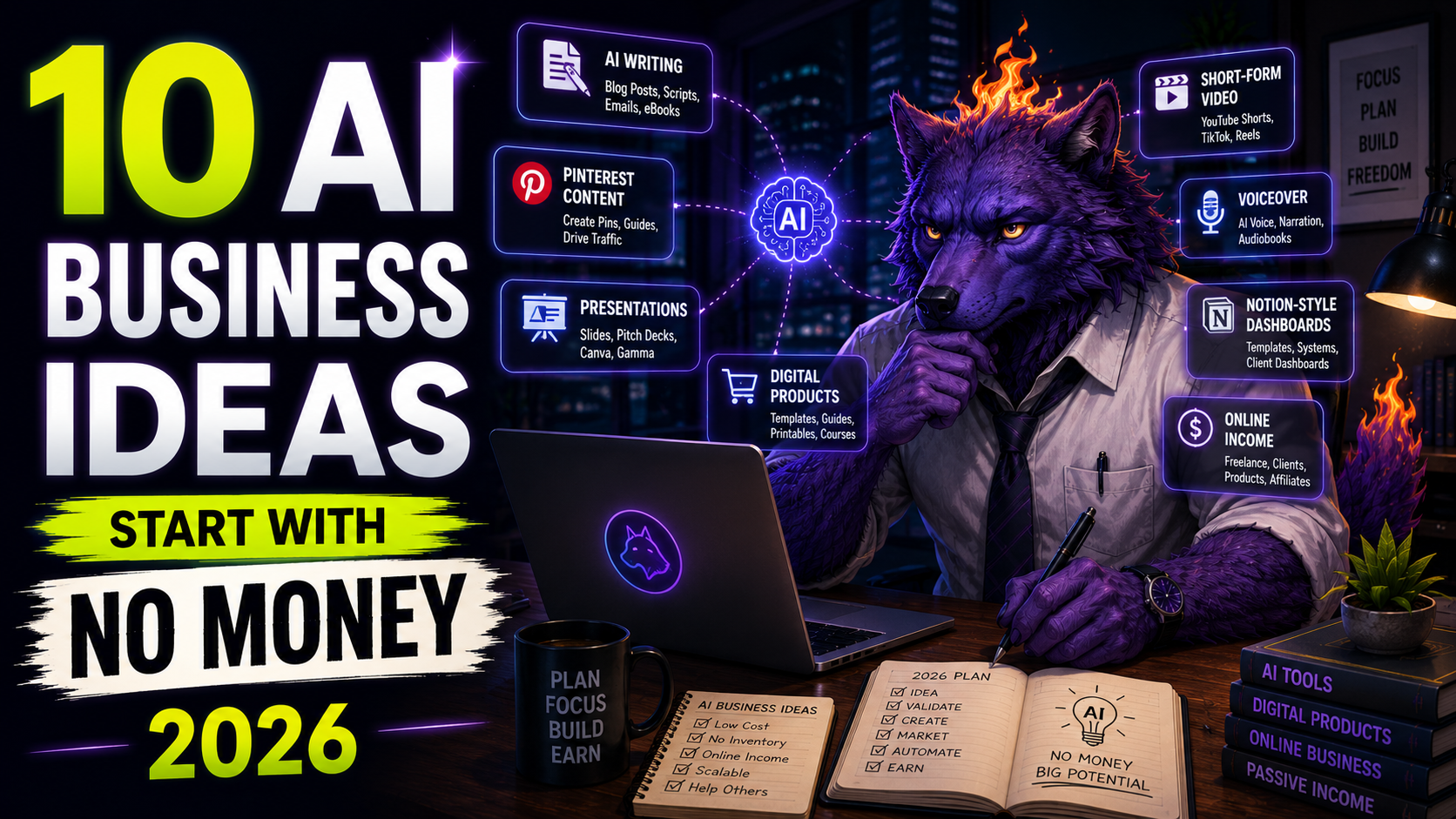
Here are 10 practical AI business ideas you can test with free tools in 2026.
| AI business idea | Best beginner tool stack | Simple deliverable |
|---|---|---|
| Pinterest content creation | ChatGPT, Canva, Notion | Pin titles, pin designs, descriptions |
| Blog post repurposing | ChatGPT, NotebookLM, Canva | Social posts, newsletter draft, checklist |
| AI presentation service | ChatGPT, Gamma, Canva | Slide deck or PDF lead magnet |
| Short-form video editing | ChatGPT, CapCut, ElevenLabs | 3 short captioned videos |
| AI voiceover samples | ChatGPT, ElevenLabs, CapCut | Voiceover demo or audio version |
| Notion template setup | ChatGPT, Notion, Canva | Tracker, dashboard, or checklist |
| Newsletter assistant | ChatGPT, NotebookLM, Notion | Weekly email draft |
| Product description rewriting | ChatGPT, Canva | Better product copy and FAQ |
| Prompt pack creation | ChatGPT, Notion, Canva | Prompt library or PDF |
| Local business content support | ChatGPT, Canva, Gamma | FAQ page, posts, simple guide |
The goal is not to launch all 10.
The goal is to find one idea that matches your skills and create proof fast.
1. Pinterest Content Creation Service
Pinterest content creation is one of the best AI business ideas for beginners because the deliverable is clear.
A blogger, Etsy seller, creator, or small business owner often needs more Pinterest pins than they have time to create.
You can help with:
- Pin title ideas
- Pinterest descriptions
- Canva pin designs
- Board descriptions
- Blog-to-pin repurposing
- Simple tracking sheets
Start with one offer:
“I will create 10 Pinterest pin titles and 3 Canva pin designs for one blog post.”
That is specific. It is not too big. It gives the client something useful.
Use ChatGPT to generate title angles, Canva to design the pins, and Notion or Google Sheets to track what was created.
This idea also works well because Pinterest rewards testing. One article can support multiple pin angles, and different titles can produce very different results.
2. Blog Post Repurposing Service
Many businesses already have content, but they do not reuse it well.
That creates a simple opportunity.
You can turn one blog post into:
- A newsletter draft
- 5 social media posts
- 3 Pinterest pin ideas
- A checklist
- A short video script
- A simple FAQ section
This is a useful AI business because it saves time for the client.
Use NotebookLM when the client gives you source material, then use ChatGPT to turn that source into structured assets. Canva can help if the output needs simple visuals.
Simple offer:
“I will turn one blog post into a 1-week content pack.”
This is beginner-friendly because you do not need to invent everything from scratch. You are organizing and repurposing existing material.
3. AI Presentation and Lead Magnet Service
Small businesses often need clean presentations, PDFs, mini-guides, and lead magnets.
Gamma is useful here because its free plan supports simple presentations, docs, websites, social content, and images. It can also export to formats such as PDF, PPTX, PNG, and Google Slides, which makes it practical for beginner-friendly deliverables.
You can offer:
- Presentation cleanup
- Mini-guide creation
- Lead magnet drafts
- Webinar slide outlines
- Simple PDF checklists
- Training material drafts
Simple offer:
“I will turn your rough notes into a clean 8-slide presentation or PDF guide.”
Workflow:
- Use ChatGPT to structure the idea.
- Paste the outline into Gamma.
- Generate the first version.
- Edit manually for clarity.
- Deliver a polished draft.
This is one of the strongest ideas if you like organizing information and making it look presentable.
4. Short-Form Video Editing Service
Short-form video is still difficult for many creators and small businesses.
They know they should create more videos, but they do not want to write scripts, edit clips, add captions, or resize everything.
AI tools can help you offer a small, repeatable service.
Use ChatGPT for scripts, CapCut for editing and captions, and ElevenLabs if you need a sample voiceover.
CapCut describes its AI video tools as useful for turning text ideas into videos and customizing visuals, voiceovers, subtitles, effects, and pacing. That makes it a practical tool for creating short demo videos without a large budget.
Simple offer:
“I will turn your blog post or product tip into 3 short captioned videos.”
Keep the first package small:
- 3 videos
- 20 to 40 seconds each
- Vertical format
- Captions included
- One clear call to action
Do not sell “viral videos.”
Sell a specific production task.
5. AI Voiceover Sample Service
AI voice tools can help you create audio samples for videos, ads, tutorials, and content repurposing.
ElevenLabs has a free plan with text-to-speech, speech-to-text, sound effects, voice design, music, and monthly credits. Its paid Starter plan adds a commercial license, so beginners should be careful about plan limits before delivering commercial client work.
That means this business idea should start with demos and internal samples.
You can create:
- Voiceover mockups
- Audio versions of blog posts
- Short ad narration samples
- Product demo voiceovers
- Podcast intro drafts
- Educational video narration
Simple offer:
“I will create a 30-second voiceover demo for your product video script.”
Use ChatGPT to write or improve the script, ElevenLabs to create the sample, and CapCut to place it into a short video mockup.
Before selling finished voiceover work, check the current licensing rules for the plan you use.
6. Notion Template Setup Service
Notion is a strong tool for simple business systems.
Its free plan is useful for individuals, and Notion lists unlimited pages and blocks for individual free-plan users. That makes it a good place to build simple templates before spending money.
You can create:
- Content calendars
- Client onboarding dashboards
- Project trackers
- Habit trackers
- AI prompt libraries
- SOP libraries
- Simple business dashboards
Simple offer:
“I will build a simple Notion dashboard to organize your content ideas, tasks, links, and deadlines.”
This is not flashy, but it solves a real problem.
Many people do not need a complex automation system. They need one clean place to organize their work.
7. AI Newsletter Assistant
Newsletters are valuable, but many creators struggle to publish consistently.
You can help by preparing a weekly draft from existing material.
Use NotebookLM for source summaries, ChatGPT for structure, and Notion for tracking ideas.
Simple deliverables:
- Weekly newsletter draft
- Subject line ideas
- Short intro
- Tool recommendation section
- Links to useful resources
- Repurposed blog section
Simple offer:
“I will turn your weekly notes and links into a clean newsletter draft.”
This is especially useful for coaches, creators, bloggers, and solo founders.
The key is to avoid pretending to be the expert. Let the client provide the source material, then help package it.
8. Product Description Rewriting Service
Many small online stores have weak product descriptions.
They list features, but they do not explain why the product matters.
AI can help you rewrite descriptions faster, but your value is in making the copy clearer and more useful.
You can offer:
- Product title improvements
- Benefit-focused descriptions
- FAQ sections
- Short ad copy
- Email snippets
- Pinterest pin titles for products
Simple offer:
“I will rewrite 10 product descriptions to make them clearer, more benefit-focused, and easier to scan.”
This can work for Etsy sellers, Shopify stores, digital product sellers, and small creators.
Start with one sample before pitching.
Take a public product page, rewrite it, and show the difference.
9. Prompt Pack or Workflow Pack Business
Prompt packs are simple digital products, but generic prompt packs are everywhere.
The better opportunity is to create prompt packs for a specific job.
Examples:
- Pinterest prompts for bloggers
- ChatGPT prompts for Etsy sellers
- AI prompts for newsletter writers
- Client onboarding prompts for freelancers
- Content repurposing prompts for creators
- Gamma lead magnet prompts for coaches
Use ChatGPT to create the first draft, then test and edit every prompt.
Simple product idea:
“50 ChatGPT Prompts for Turning Blog Posts Into Pinterest Content”
You can package the prompts in Notion, Google Docs, or a simple PDF made in Canva.
This also fits the long-term funnel:
Pinterest sends traffic to the blog, the blog offers a free prompt pack, Substack captures the email, and later you can sell a larger version.
10. Local Business Content Support
Local businesses often need simple content, not advanced AI strategy.
You can help them create:
- FAQ pages
- Google Business Profile posts
- Service page drafts
- Social media captions
- Simple flyers
- Lead magnet ideas
- Short explainer scripts
Simple offer:
“I will create a basic content starter kit for your local business using your existing website and service information.”
Deliverables could include:
- 10 FAQ questions and answers
- 5 social post ideas
- 3 short promotional captions
- 1 simple lead magnet idea
- 1 email draft
This works because many local business owners do not want to learn AI tools.
They want useful output.
How to Choose the Best AI Business Idea for You
Choose based on the type of work you can repeat.
| If you like… | Start with this idea |
|---|---|
| Writing and organizing | Blog repurposing or newsletter assistant |
| Design and visuals | Pinterest content creation or Canva templates |
| Presentations and PDFs | Gamma presentation service |
| Video and captions | Short-form video editing |
| Audio and narration | Voiceover samples |
| Systems and templates | Notion template setup |
| Selling digital products | Prompt packs or workflow packs |
Do not choose based only on what sounds profitable.
Choose the idea you can make samples for quickly.
A Simple 7-Day Plan to Start With No Money
Use this plan to test one idea.
Day 1: Pick one customer
Choose a narrow customer type.
Examples:
- Bloggers using Pinterest
- Coaches who need lead magnets
- Etsy sellers with weak product descriptions
- Local businesses with outdated websites
- Creators who need newsletter help
Day 2: Pick one deliverable
Do not sell a bundle yet.
Pick one clear result:
- 3 pins
- 1 presentation
- 3 short videos
- 10 rewritten product descriptions
- 1 Notion dashboard
Day 3: Create a sample
Use a fake client, your own site, or a public example.
The sample should show exactly what someone would receive.
Day 4: Write a simple offer
Use this format:
I help [specific customer] turn [messy input] into [clear deliverable] using AI-assisted workflows.Example:
I help bloggers turn one article into Pinterest pin titles, descriptions, and Canva pin designs.Day 5: Make a mini portfolio
You do not need a full website.
Use a Notion page, Google Doc, or simple page with:
- Your offer
- Your sample
- What is included
- Who it is for
- How to contact you
Day 6: Send 10 simple messages
Do not overpitch.
Send something like:
I made a quick sample showing how your blog post could become Pinterest content. Want me to send it over?The goal is to start conversations.
Day 7: Improve based on replies
If people are confused, simplify the offer.
If one sample gets attention, make two more like it.
If nobody responds, change the customer or the result.
Common Mistakes Beginners Should Avoid
Mistake 1: Selling “AI consulting” too early
Most beginners should not start with AI consulting.
It sounds broad, and buyers may not know what they are getting.
Start with a deliverable instead.
Mistake 2: Using AI output without editing
AI drafts are not finished work.
Your value is in choosing the right structure, removing generic wording, checking accuracy, and making the final output useful.
Mistake 3: Choosing too many tools
You do not need 20 tools.
Start with two or three.
For example:
- ChatGPT + Canva for Pinterest content
- ChatGPT + Gamma for presentations
- ChatGPT + CapCut for short videos
- ChatGPT + Notion for templates
Mistake 4: Ignoring usage rights
Free plans can be useful for learning and samples, but plan rules can change.
Before doing paid client work, check whether the tool allows commercial use, exports, client delivery, and use of generated assets.
This is especially important for voice, music, stock assets, templates, and videos.
Mistake 5: Waiting until everything is perfect
You do not need a perfect brand, website, logo, or funnel to test a simple service.
You need one offer and one sample.
FAQ
Can you really start an AI business with no money?
Yes, you can start testing an AI-assisted service business with no money by using free tools and creating sample deliverables. You still need time, skill, editing, and outreach. Free tools reduce the startup cost, but they do not replace the need to solve a real problem for a specific customer.
What is the easiest AI business for beginners?
The easiest AI business for beginners is usually a clear service with a small deliverable, such as Pinterest pin creation, blog repurposing, product description rewriting, or simple presentation design. These ideas are easier than broad AI consulting because the client understands what they are buying.
What AI tools do I need to start?
Most beginners only need two or three tools. A simple starting stack is ChatGPT for writing and planning, Canva for visuals, and one specialized tool such as Gamma for presentations, CapCut for videos, ElevenLabs for voice, or Notion for templates.
Can I use free AI tools for client work?
Sometimes, but you must check each tool’s current plan terms before doing paid client work. Free plans often have limits around credits, exports, branding, commercial use, stock assets, or licensing. Use free plans to learn, create samples, and validate demand first.
How do I get my first client?
Create one sample for a specific type of customer, then send a short message offering to share the sample. Do not start with a long pitch. The first goal is to learn whether people understand the offer and care about the result.
Final Thoughts
You do not need money to start testing an AI business in 2026.
You need a small offer, a useful sample, and the patience to improve.
Start with one customer.
Choose one deliverable.
Use free AI tools to create the first version.
Then edit it until it feels genuinely useful.
That is how this becomes more than another list of AI ideas.
It becomes a real starting point.
Read Next
- 7 Free AI Tools to Start a Side Hustle With No Money in 2026
- 25 Free AI Tools That Replace Paid Apps in 2026
- AI Business Ideas That Actually Work in 2026
- Best Free AI Tools for Pinterest Content Creation in 2026
- ChatGPT Prompts That Save Time in 2026
- Gamma Review: Is It Worth Using in 2026?
- ElevenLabs Review: Is It Worth Using in 2026?
Get More Practical AI Tips
Want weekly AI tools, prompts, and productivity ideas you can actually use? Join AI Productivity Hub on Substack.


コメント