Affiliate Disclosure:
This article contains affiliate links. If you purchase a product through these links, I may receive a small commission at no additional cost to you.
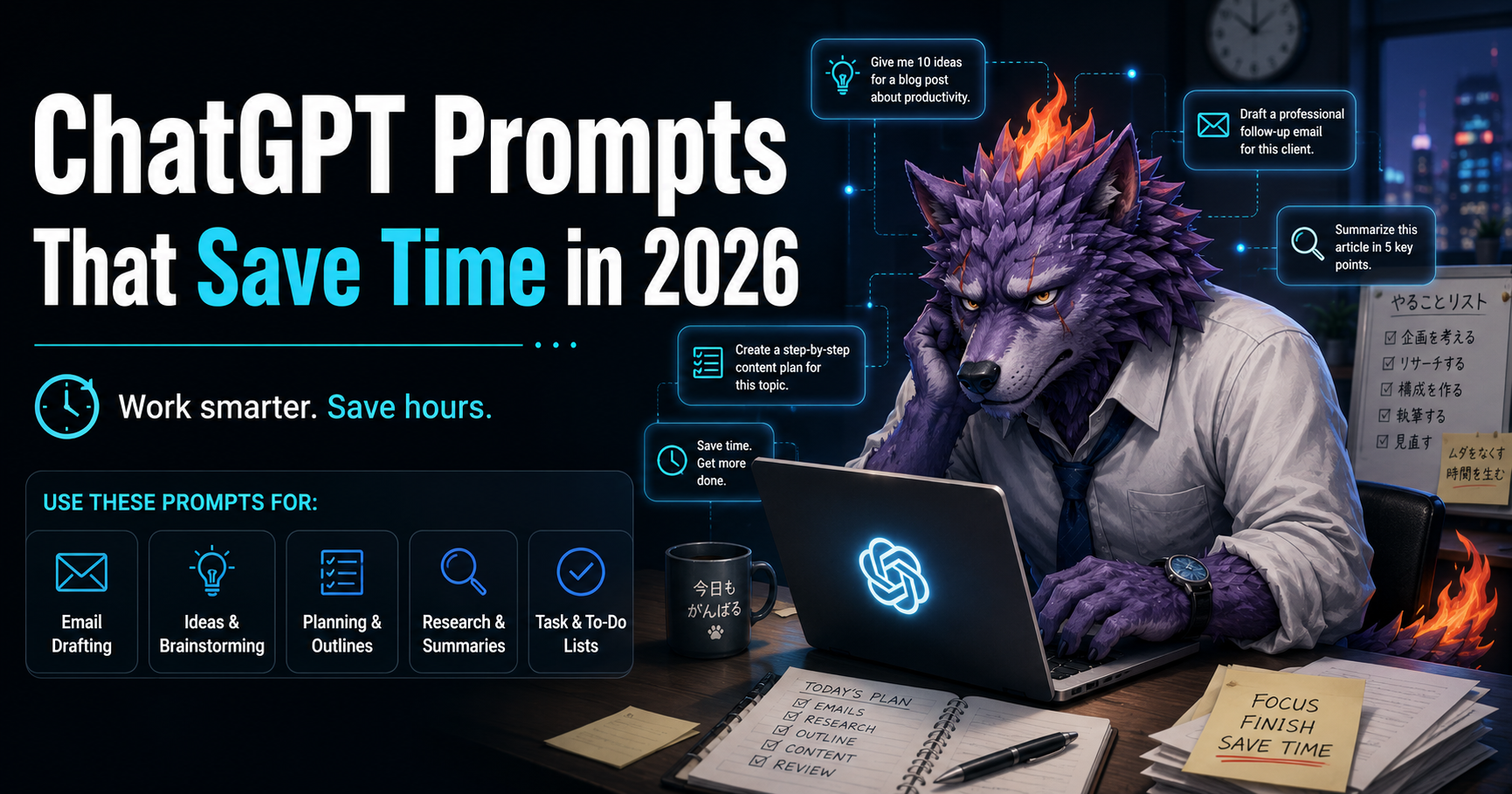
ChatGPT Prompts That Save Time in 2026
ChatGPT can save you a lot of time.
But only if you know what to ask.
Many people open ChatGPT, type a short question, get an average answer, and then think AI is not useful.
The problem is usually not ChatGPT.
The problem is the prompt.
A better prompt gives ChatGPT more context, a clearer goal, and a better format for the answer.
In this guide, you will find practical ChatGPT prompts that can help you save time in 2026.
You can copy, paste, and customize these prompts for work, content creation, research, planning, email writing, productivity, and online business.
You do not need to use all of them.
Start with one task you repeat often.
Then use ChatGPT to make that task faster.
- Quick List: ChatGPT Prompts That Save Time
- How to Write Better ChatGPT Prompts
- 1. Professional Email Prompt
- 2. Email Rewrite Prompt
- 3. Research Summary Prompt
- 4. Key Takeaways Prompt
- 5. Blog Post Outline Prompt
- 6. Blog Introduction Prompt
- 7. Content Ideas Prompt
- 8. Social Media Caption Prompt
- 9. Pinterest Pin Title Prompt
- 10. Pinterest Description Prompt
- 11. Meeting Notes Prompt
- 12. Weekly Planning Prompt
- 13. Daily Focus Prompt
- 14. Task Prioritization Prompt
- 15. Data Analysis Prompt
- 16. Problem-Solving Prompt
- 17. Decision-Making Prompt
- 18. Business Idea Prompt
- 19. Offer Creation Prompt
- 20. Presentation Prompt
- 21. Script Writing Prompt
- 22. Voiceover Script Prompt
- 23. Translation Prompt
- 24. Rewrite for Clarity Prompt
- 25. Automation Ideas Prompt
- Best ChatGPT Prompts for Work
- Best ChatGPT Prompts for Content Creators
- Best ChatGPT Prompts for Online Business
- Simple Prompt Formula You Can Reuse
- Common ChatGPT Prompt Mistakes
- How to Use These Prompts
- Final Thoughts
- Recommended AI Tools
- Read Next
Quick List: ChatGPT Prompts That Save Time
Here are some of the best prompt categories in this guide:
- Email writing prompts
- Research summary prompts
- Content creation prompts
- Blog post outline prompts
- Social media content prompts
- Meeting notes prompts
- Weekly planning prompts
- Productivity prompts
- Data analysis prompts
- Problem-solving prompts
- Business idea prompts
- Presentation prompts
- Script writing prompts
- Translation prompts
- Automation prompts
How to Write Better ChatGPT Prompts
Before we get into the prompts, here is a simple formula.
A good ChatGPT prompt usually includes:
- Your goal
- Context
- The audience
- The format you want
- The tone
- Any limits or rules
- The next action you want
A weak prompt looks like this:
“Write an email.”
A better prompt looks like this:
“Write a clear and professional email to a client explaining that the project timeline has changed. Keep the tone polite, concise, and solution-focused. Include a short apology, the new deadline, and a clear next step.”
The second prompt gives ChatGPT enough information to create something useful.
1. Professional Email Prompt
Use this when you need to write a clear email quickly.
Prompt
“Write a clear and professional email about [topic]. The recipient is [person or company]. The purpose of the email is [goal]. Keep the tone [friendly / formal / concise / polite]. Include a clear subject line, a short opening, the main message, and a clear next step.”
Best for
- Client emails
- Work emails
- Follow-ups
- Collaboration requests
- Customer support replies
Example use case
You need to follow up with a client who has not replied.
2. Email Rewrite Prompt
Use this when your draft feels messy or too long.
Prompt
“Rewrite the following email to make it clearer, shorter, and more professional. Keep the meaning the same. Remove unnecessary words. Make the tone polite and natural.”
Paste your draft below the prompt.
Best for
- Cleaning up rough emails
- Making messages sound more professional
- Reducing long explanations
- Improving clarity
3. Research Summary Prompt
Use this when you need to understand a long article, report, transcript, or document quickly.
Prompt
“Summarize the following text in 5 bullet points. Focus on the most important ideas, decisions, risks, examples, and next actions. At the end, give me a short ‘What this means’ section in plain English.”
Best for
- Articles
- Reports
- Research notes
- YouTube transcripts
- Meeting documents
- Long emails
4. Key Takeaways Prompt
Use this when you do not need a full summary, only the useful parts.
Prompt
“Read the following text and extract the 10 most useful takeaways. Prioritize practical ideas I can apply immediately. For each takeaway, explain why it matters in one sentence.”
Best for
- Learning faster
- Saving time from long content
- Turning information into action
- Reviewing educational content
5. Blog Post Outline Prompt
Use this when you need to create an article structure quickly.
Prompt
“Create a detailed blog post outline for the topic: [topic]. The target reader is [audience]. The goal of the article is to [goal]. Include an SEO-friendly title, introduction, main sections, subheadings, practical examples, FAQ section, and a conclusion with a clear next step.”
Best for
- Bloggers
- Affiliate marketers
- Content creators
- Website owners
- SEO articles
6. Blog Introduction Prompt
Use this when you are stuck on the opening.
Prompt
“Write an engaging blog post introduction for the topic: [topic]. The reader is [audience]. Start with the reader’s problem, explain why the topic matters, and preview what they will learn. Keep it clear, helpful, and not too salesy.”
Best for
- Blog articles
- Affiliate content
- Educational posts
- Pinterest traffic pages
7. Content Ideas Prompt
Use this when you need ideas for posts, videos, pins, or articles.
Prompt
“Give me 30 content ideas about [topic] for [platform]. The target audience is [audience]. Focus on practical, beginner-friendly ideas that solve real problems. Organize the ideas into categories and include a short hook for each one.”
Best for
- TikTok
- YouTube
- Blogs
- X / Twitter
8. Social Media Caption Prompt
Use this when you need captions fast.
Prompt
“Write 10 social media captions about [topic]. The target audience is [audience]. Keep the tone [helpful / casual / motivational / direct]. Each caption should include a strong hook, one practical point, and a simple call to action.”
Best for
- Threads
- Pinterest descriptions
- X posts
9. Pinterest Pin Title Prompt
Use this for Pinterest title ideas.
Prompt
“Create 20 Pinterest pin title ideas for the topic: [topic]. Make them clear, clickable, and easy to understand. Focus on titles that promise practical value, save time, solve a problem, or help beginners. Avoid exaggerated income claims.”
Best for
- Pinterest creators
- Bloggers
- Affiliate marketers
- AI tool websites
10. Pinterest Description Prompt
Use this when you need a clean Pinterest description.
Prompt
“Write a Pinterest description for this title: [title]. The description should explain what the reader will learn, include relevant keywords naturally, and encourage them to click through. Keep it helpful, clear, and under 500 characters.”
Best for
- Pinterest pins
- Blog promotion
- Affiliate articles
- Tool roundup articles
11. Meeting Notes Prompt
Use this after a meeting.
Prompt
“Turn the following rough notes into organized meeting minutes. Include key discussion points, decisions made, action items, owners, deadlines, risks, and open questions. Make it easy to scan.”
Best for
- Work meetings
- Client calls
- Team meetings
- Project updates
- Planning sessions
12. Weekly Planning Prompt
Use this when your week feels messy.
Prompt
“Create a realistic weekly plan for [goal]. I have [number] hours available this week. Prioritize the highest-impact tasks first. Separate the plan into must-do tasks, optional tasks, and tasks I should avoid. Include a simple daily schedule.”
Best for
- Productivity
- Side hustles
- Content creation
- Business planning
- Study plans
13. Daily Focus Prompt
Use this when you only have limited time.
Prompt
“I only have [number] minutes today to work on [goal]. Help me choose the single most important task. Explain why it matters, what I should do first, and what result I should aim for by the end of the session.”
Best for
- Busy professionals
- Side hustlers
- Students
- Parents
- Creators
14. Task Prioritization Prompt
Use this when everything feels important.
Prompt
“Here is my task list. Prioritize it using impact, urgency, and effort. Tell me what to do first, what to schedule later, what to delegate, and what to delete.”
Paste your task list below the prompt.
Best for
- Work planning
- Project management
- Business tasks
- Content calendars
- Personal productivity
15. Data Analysis Prompt
Use this when you have numbers but do not know what they mean.
Prompt
“Analyze the following data. Identify the key trends, unusual patterns, possible causes, and the 3 most important insights. Then recommend what I should do next.”
Best for
- Analytics
- Sales data
- Website traffic
- Pinterest performance
- Social media metrics
- Spreadsheet summaries
16. Problem-Solving Prompt
Use this when you are stuck.
Prompt
“Help me solve this problem: [problem]. Ask clarifying questions if needed. Then give me 5 possible solutions, the pros and cons of each, the easiest first step, and the option you recommend.”
Best for
- Business problems
- Productivity issues
- Content strategy
- Technical decisions
- Planning problems
17. Decision-Making Prompt
Use this when you need to compare options.
Prompt
“I am trying to decide between [option A] and [option B]. Compare them based on cost, time, difficulty, risk, upside, and long-term value. Give me a clear recommendation and explain your reasoning.”
Best for
- Tool choices
- Business ideas
- Content strategy
- Product decisions
- Workflow choices
18. Business Idea Prompt
Use this when you want practical ideas, not vague inspiration.
Prompt
“Give me 10 practical business ideas related to [topic]. Prioritize ideas that are simple, low-cost, beginner-friendly, and possible to test within 7 days. For each idea, include the target customer, the problem it solves, the first step, and a simple offer.”
Best for
- Side hustles
- Online business
- AI business ideas
- Freelance services
- Digital products
19. Offer Creation Prompt
Use this when you want to turn an idea into something people can buy.
Prompt
“Turn this idea into a simple offer: [idea]. Include the target customer, the problem, the result, what is included, what is not included, delivery timeline, pricing options, and a short sales description.”
Best for
- Freelancers
- Consultants
- Service businesses
- Digital products
- AI-powered services
20. Presentation Prompt
Use this when you need slides or a presentation outline.
Prompt
“Create a presentation outline about [topic] for [audience]. The goal is to [goal]. Include a strong opening, 5 to 7 main slides, key talking points, examples, and a clear conclusion.”
Best for
- Business presentations
- Client proposals
- Workshops
- Online courses
- Pitch decks
Recommended tool
If you want to turn your outline into a clean presentation faster, Gamma can help you create presentations, documents, and visual pages with AI.
Try Gamma for Free
21. Script Writing Prompt
Use this for videos, podcasts, or short-form content.
Prompt
“Write a script for a about [topic]. The target audience is [audience]. Start with a strong hook, keep the structure simple, include practical examples, and end with a clear call to action.”
Best for
- YouTube videos
- TikTok scripts
- Instagram Reels
- Podcast episodes
- Educational videos
22. Voiceover Script Prompt
Use this when you want a script that sounds natural when spoken.
Prompt
“Write a natural voiceover script about [topic]. Keep the tone [calm / friendly / professional / energetic]. Use short sentences, simple words, and a smooth flow. The script should be easy to read aloud.”
Best for
- Faceless YouTube videos
- Tutorials
- Explainer videos
- Product videos
- Online courses
Recommended tool
If you want to turn your script into realistic audio, ElevenLabs can help you create AI voiceovers for videos, tutorials, podcasts, and content.
Try ElevenLabs for Free
23. Translation Prompt
Use this when you want more than direct translation.
Prompt
“Translate the following text into [language]. Keep the meaning natural, not word-for-word. Make it sound like it was written by a native speaker. Keep the tone [friendly / professional / casual / persuasive].”
Best for
- Emails
- Blog posts
- Social media
- Product descriptions
- International content
24. Rewrite for Clarity Prompt
Use this when your writing feels confusing.
Prompt
“Rewrite the following text so it is easier to understand. Keep the meaning the same. Use clear sentences, remove unnecessary words, and make the tone natural and professional.”
Best for
- Emails
- Articles
- Website copy
- Reports
- Social media posts
25. Automation Ideas Prompt
Use this when you want to save time in your workflow.
Prompt
“Review this workflow and identify repetitive tasks that could be simplified or automated. Rank the ideas from easiest to hardest. For each idea, explain the benefit, the tools I might use, and the first step.”
Best for
- Small businesses
- Creators
- Freelancers
- Online businesses
- Productivity systems
Best ChatGPT Prompts for Work
If you want to use ChatGPT for work, start with these prompts:
- Professional email prompt
- Meeting notes prompt
- Weekly planning prompt
- Data analysis prompt
- Problem-solving prompt
- Presentation prompt
These prompts can help you reduce repetitive work and create better first drafts.
Best ChatGPT Prompts for Content Creators
If you create content, start with these prompts:
- Content ideas prompt
- Blog post outline prompt
- Social media caption prompt
- Pinterest title prompt
- Script writing prompt
- Voiceover script prompt
These prompts can help you move from idea to publishable content faster.
Best ChatGPT Prompts for Online Business
If you are building an online business, start with these prompts:
- Business idea prompt
- Offer creation prompt
- Research summary prompt
- Email writing prompt
- Presentation prompt
- Automation ideas prompt
These prompts can help you turn ideas into simple offers, content, and systems.
Simple Prompt Formula You Can Reuse
Use this formula whenever you want better results:
“Act as a [role]. Help me [goal]. The context is [context]. The target audience is [audience]. The output should be [format]. Keep the tone [tone]. Include [specific details]. Avoid [things to avoid].”
Example
“Act as a productivity coach. Help me plan my week. The context is that I have 5 hours available to work on my blog. The target goal is to publish one article and create three Pinterest pins. The output should be a simple 5-day plan. Keep the tone practical and direct. Include priorities and what to avoid.”
Common ChatGPT Prompt Mistakes
Avoid these mistakes if you want better results.
1. Being too vague
Bad prompt:
“Give me ideas.”
Better prompt:
“Give me 20 beginner-friendly blog post ideas about AI tools for freelancers.”
2. Not giving context
ChatGPT works better when it understands your situation.
Tell it who the audience is, what the goal is, and what format you want.
3. Asking for too much at once
If the task is complex, split it into steps.
First ask for ideas.
Then ask for an outline.
Then ask for a draft.
Then ask for edits.
4. Accepting the first answer
The first answer is often just a starting point.
Ask ChatGPT to improve, simplify, expand, shorten, or make the answer more specific.
5. Not checking the output
AI can make mistakes.
Always review important information before publishing or sending it.
How to Use These Prompts
Here is a simple way to use this guide:
- Choose one task you repeat often
- Copy the matching prompt
- Add your own topic, audience, and goal
- Ask ChatGPT for the first draft
- Review and improve the answer
- Save the prompt if it works well
Over time, you can build your own prompt library.
That is where ChatGPT starts saving real time.
Final Thoughts
ChatGPT can save time, but the quality of your prompt matters.
A better prompt gives ChatGPT direction.
It tells ChatGPT what you want, who it is for, how it should be formatted, and what result you expect.
Start with one prompt from this guide.
Use it on a real task.
Then improve it.
The goal is not to collect hundreds of prompts.
The goal is to make your daily work easier.
If you want to save time in 2026, start with the tasks you already do every week:
- Emails
- Planning
- Research
- Writing
- Content creation
- Presentations
- Scripts
- Simple automation
Then use ChatGPT to create better first drafts faster.
Recommended AI Tools
Gamma
Create presentations, documents, and visual pages faster with AI.
ElevenLabs
Create realistic AI voiceovers for videos, tutorials, podcasts, and content.
Read Next
Best Free AI Tools You Need in 2026
AI Business Ideas That Actually Work in 2026
25 Free AI Tools That Replace Paid Apps in 2026


コメント